Online Student Study Planner with Performance Dashboard
Plan study sessions, track focus hours, manage subjects, monitor task completion, and analyze performance with interactive charts — all stored locally in your browser.
Includes: Subjects, Timetable, Tasks, Consistency, Session Log, Graphs data & comparison
More Than a Traditional Pomodoro Study Planner
Managing academic workloads requires more than just standard timers. This multi-functional study planner goes further by integrating custom Pomodoro tools, an interactive timetable organizer, performance history logs, and detailed progress analytics. By combining a digital tracking dashboard with a flexible schedule builder, you can customize your weekly time table, monitor your active progress, and optimize your focus intervals without needing to register.
How to Configure the Time Table Maker & Time Planner
Note: Create your first subject to replace demo data.
- Add Your Primary Subjects: Input specific academic subjects like Mathematics, Chemistry, or Literature to keep your data organized.
- Build with the Timetable Maker: Use the interactive timetable maker interface to map out classes, assignments, and revision schedules.
- Select Your Focus Goal: Pick a designated subject from your study planner list before launching your focus block.
- Start Your Pomodoro Timer: Customize your active studying intervals and break lengths in our centralized time planner dashboard.
- Log Progress Automatically: Each focus cycle and break is safely stored inside your browser’s persistent session memory.
- Analyze Historical Metrics: Access custom analytics to review subject trends, overall study-to-break ratios, and performance metrics.
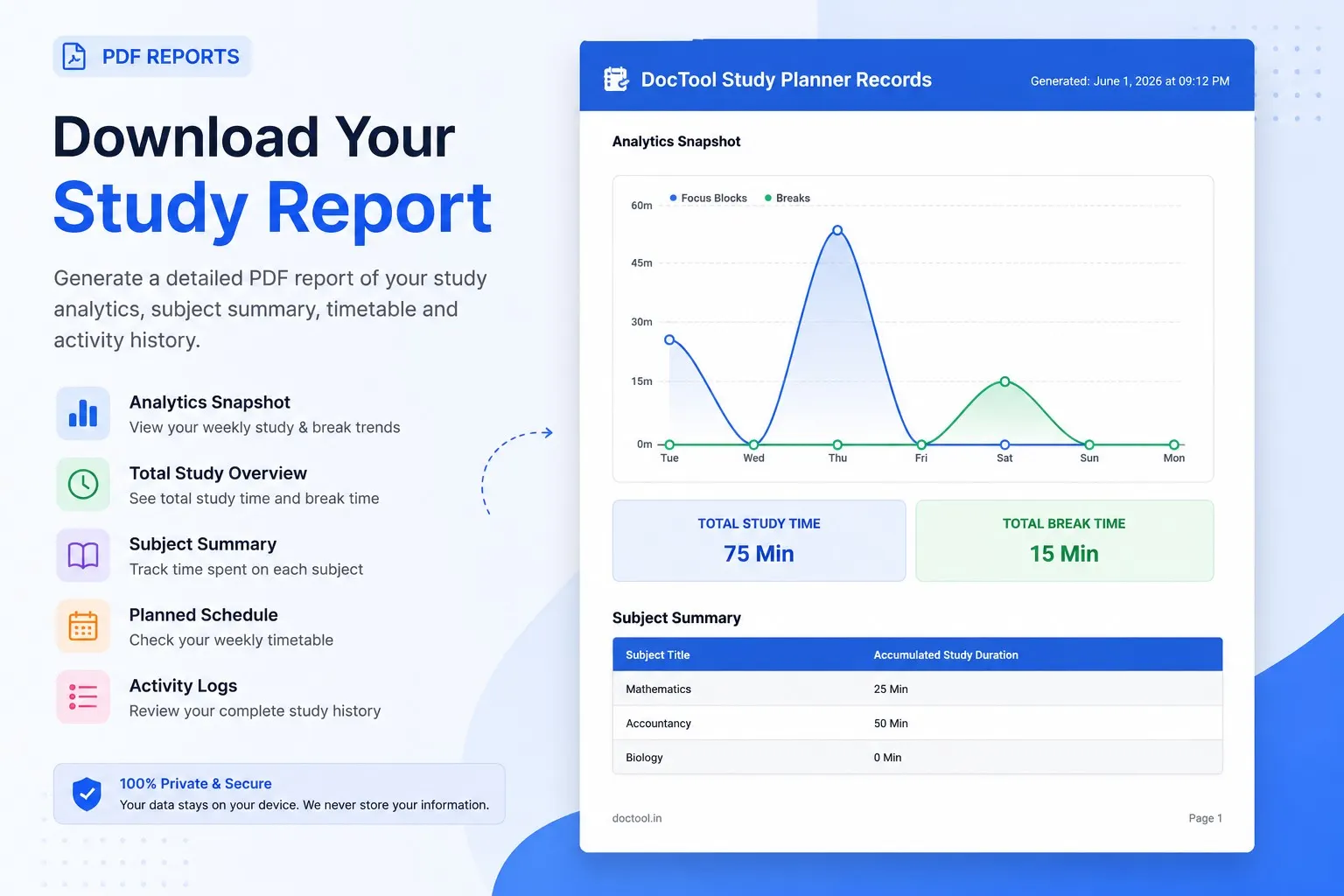
- Export Your Masterpiece: Download fully formatted PDF summaries of your schedule, charts, and learning history.
Structuring the Best Study Time Table for Exams
Achieving top grades in school, college, or competitive exams requires a reliable system. Designing the best study time table involves striking a realistic balance between intensive coursework, active recall sessions, and adequate breaks. Organizing your week ahead of time removes decision fatigue, allowing you to focus on executing your academic goals instead of guessing what to study next.
A high-quality study time table should adapt to your personal learning speed and daily energy peaks. Incorporating regular spacing between study blocks ensures maximum cognitive recovery, making your preparation periods significantly more effective over the school year.
Establishing a Consistent Time Table for Study at Home
Studying without external supervision can make it easy to fall behind. Creating a tailored time table for study at home helps establish a clear structure that keeps you motivated and consistent. Rather than cramming everything right before a test, spread out your preparation logically across the entire week using color-coded subjects.
Utilizing an online time table maker lets you adapt your schedule on the fly when projects shift or homework deadlines change. Integrating these routines alongside physical active recovery steps ensures you keep a sustainable study balance over the academic semester.
Your All-in-One Digital Study Planner and Time Planner
This browser-based application serves as a complete productivity ecosystem, unifying a comprehensive study planner, a robust daily time planner, and a custom interval timer. Perfect for high school classes, university semesters, or major professional licensing exams, it helps you build disciplined patterns, measure performance metrics, and stay completely accountable.
The Science of Focused Work Sessions
- Focused Intervals: Set customized study blocks tailored to your personal focus span.
- Smart Recovery: Let your system automatically transition between study periods and recovery breaks.
- Reduce Distractions: Dedicate each active block to one topic to avoid multitasking pitfalls.
A Fully Flexible Timetable Maker
- Weekly Overviews: Schedule your classes, homework, and mock tests in an easy-to-read grid.
- Subject Classification: Organize your workload with clean, customizable color styles.
- Local Storage Control: Keep your entire schedule saved locally on your device for fast access and total privacy.
Accelerate Your Exam Preparation and Time Management
Managing dynamic schedules is critical for students gearing up for highly competitive tests. Setting up a dedicated time table helps keep complex materials structured and manageable.
By evaluating actual logs against your planned hours, you can continuously optimize your approach, address weak subjects, and work systematically toward your academic milestones.
The Advantages of Digital Organization
Paper agendas can easily get lost and are difficult to update. Our digital study planner makes it simple to instantly modify dates, track progress over time, and keep your goals unified in one accessible interface.
Sharing Your Schedule as a Gift Timetable
Export your final schedule as a clean, printable PDF to hand out. Sharing a customized gift timetable with classmates, study circles, or younger siblings is a wonderful way to help everyone stay organized and motivated.
Frequently Asked Questions
What is a focus block and why should I track my study hours on a study planner?
Focus blocks encourage deep attention by dedicating a set, uninterrupted period of time to a single task. Logging your focus sessions by subject on a digital study planner helps you see exactly where you are spending your time, so you can balance your study time table before exam periods.
Will my study schedule and data be lost if I close my web browser?
No. All data is saved on your device using HTML5 LocalStorage. Your subjects, scheduled slots, and total timetable records remain intact even if you close the browser window or restart your device.
How do I create the best study time table?
Start by listing your highest-priority subjects. Allocate specific blocks in our timetable maker or time planner for deep work, and use the integrated Pomodoro timer to ensure you do not spend too much time on a single topic.
Is the Pomodoro technique good for a home-based study time table?
Yes. It is highly effective for a home study routine. It breaks down massive textbooks into focused sprints, making the workload of your time table for study at home feel less overwhelming.
Can I track my study hours online for free using a time table maker?
Absolutely. Our interactive time table maker progress dashboard is free to use and saves your data locally, making it a private and secure time planner to monitor your academic goals.
Can I export or share my schedule as a gift timetable?
Yes. The platform lets you export your finalized schedule into a clean, printable PDF format. This makes it easy to print for your own desk or share as a highly practical gift timetable to help classmates, study circles, or younger siblings stay structured.
Can I use this timetable maker for highly competitive examinations?
Yes, this versatile timetable maker is built to adapt to dense, complex exam schedules. By establishing a dedicated study time table for difficult topics, you can systematically organize your syllabus while keeping track of actual hours spent on each module.
What makes this the best study time table system for independent learning?
The best study time table is one that changes based on your study behaviors. Combining an adjustable time planner with automated focus sessions helps independent learners stick to a consistent daily routine without needing constant external supervision.